

On this page
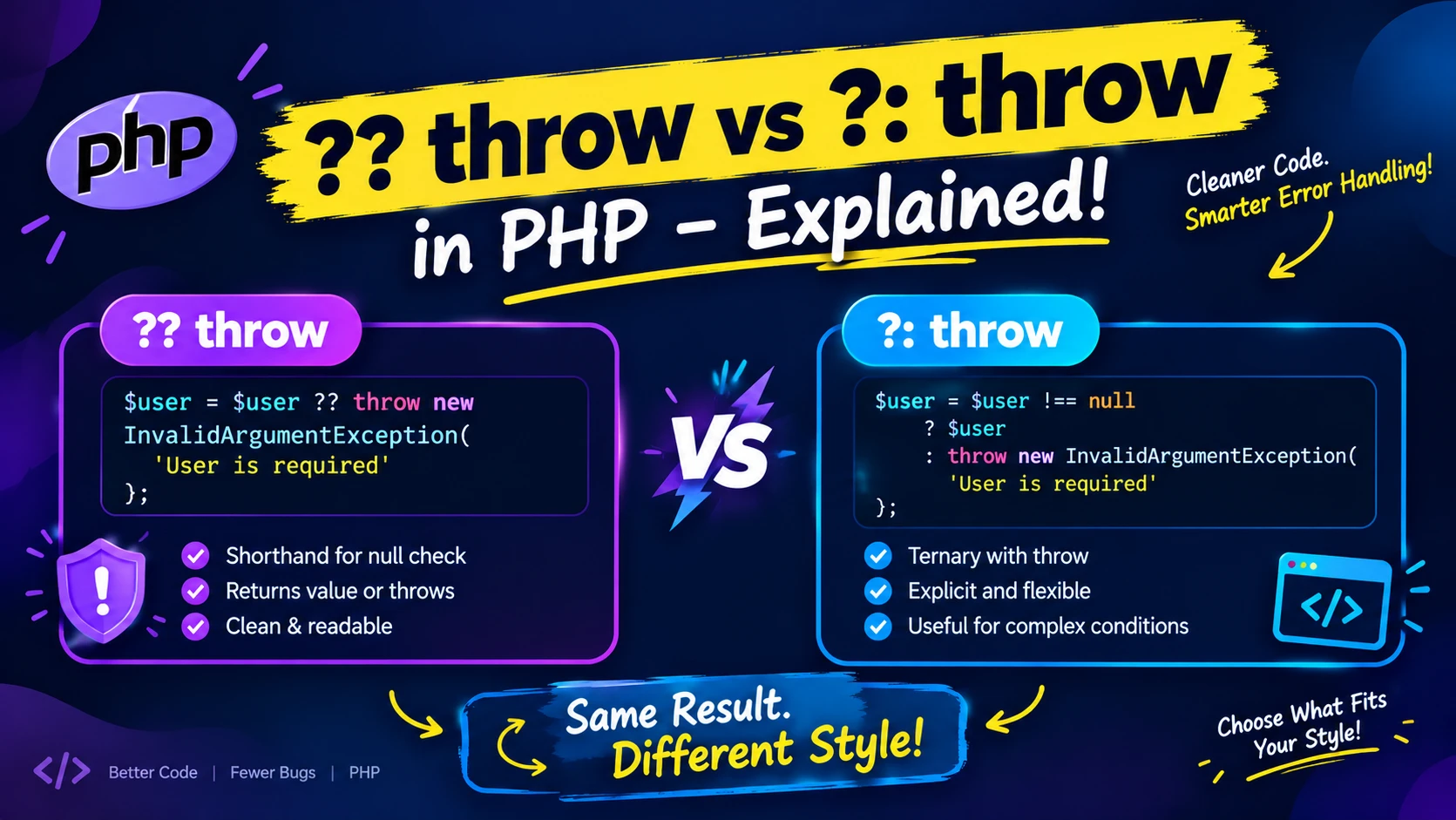
You fetch a value, check whether it is missing, and throw if it is. Every PHP codebase has this four-line block hundreds of times. Since PHP 8.0, throw is an expression instead of a statement, which means it can sit on the right side of ?? or ?: and collapse the whole block into one line. In Laravel, abort() gives you the same trick. I tested the edge cases on PHP 8.3, including the one where ?? and ?: give opposite answers, because that is where the bugs hide.
Before and after
// Before
$path = $config['path'] ?? null;
if ($path === null) {
    throw new RuntimeException('Missing config: path');
}

// After (PHP 8.0+)
$path = $config['path'] ?? throw new RuntimeException('Missing config: path');
If the key exists, $path gets its value. If it is missing or null, the exception is thrown. The change came from the "throw expression" RFC by Ilija Tovilo, accepted with 46 votes for and 3 against. The RFC lists the motivation directly: throw used to be a statement, so it could not appear where PHP only allows expressions, such as arrow functions, the null coalescing operator and the ternary operators.
The trap: ?? and ?: do not mean the same thing
Both operators work with throw, but they decide "missing" differently. I ran every value below on PHP 8.3.6:
| Value | ?? throw | ?: throw |
|---|---|---|
Normal string ('/var/data') | passes | passes |
| Key does not exist | throws | throws (and emits an "Undefined array key" warning first) |
null | throws | throws |
Empty string '' | passes | throws |
0 | passes | throws |
'0' | passes | throws |
false | passes | throws |
Pick based on what "missing" means for your value:
- Use
??when only an absent ornullvalue is an error. It also stays quiet on missing array keys, so there is no warning. - Use
?:when empty values should fail too, for example an API key that arrives as an empty string from an environment file. With??that empty key would sail through. - Do not use
?:for numbers where0is valid (a quantity, an offset, a price of zero). It treats0as missing and throws. - Do not use
?:on array keys that might not exist. It reads the key first, so you get a warning before your exception.
Where else throw works
Anywhere PHP expects an expression. I confirmed each of these throws as expected:
// Assignment: only set when null
$user ??= throw new LogicException('User is required');

// Arrow function
$getId = fn (?int $id) => $id ?? throw new InvalidArgumentException('id is required');

// Ternary branch
$value = $ok ? $result : throw new DomainException('Not ok');

// Short-circuit
$isAdmin || throw new AuthorizationException('Admins only');

// match arm
$label = match ($status) {
    'open'   => 'Open',
    'closed' => 'Closed',
    default  => throw new UnexpectedValueException("Unknown status: $status"),
};
The right-hand side is evaluated lazily. When the left value was present, the code on the right never ran (my counter stayed at 0). That is why this is safe to use for something with side effects, like building an exception or calling a function.
One precedence rule
The RFC gives throw the lowest precedence of any operator, so everything after the keyword belongs to the thrown value. null ?? throw new Exception('a' . 'b') threw an exception with the message ab, as expected. The downside, noted in the RFC, is that a throw placed between two short-circuit operators needs parentheses to say what you mean.
In Laravel: abort() does the same
The abort() helper throws an HTTP exception, and its docblock in the framework source declares a return type of never. Because it is a normal function call on the right side of ??, it only runs when the left side is null:
$path = $request->query('file') ?? abort(404);

$apiKey = config('services.payments.key') ?: abort(500, 'Payment key is not configured');
In my test, a plain function that throws behaved the same as a throw expression, and the right side never ran when a value was present. I read the abort() helper in the Laravel 13.35.0 source but did not run it inside a full application.
Laravel also has helpers for conditions that are not about a missing value: abort_if() and abort_unless() for HTTP errors, and throw_if() and throw_unless() for exceptions (all present in the source). And for Eloquent, findOrFail() and firstOrFail() already do "fetch, then 404 if missing". Reach for ?? throw or ?? abort() with plain values: config, request input, array lookups and function results.
Quick rules
- PHP 8.0 or newer is required. On older versions
throwin that position is a syntax error. ??for "must exist",?:for "must be non-empty".- Put the exception message where a human debugging at 2 a.m. will see what was missing and where.
- If the one-liner gets long, a normal
ifis still fine. This is a convenience, not a rule.
References
Free resources for this topic
Code snippets and fixes for this topic
Get one practical tip every week
New tutorials, fixes and free cheat sheets from DEV Talk, straight to your inbox. No spam, unsubscribe in one click.
Free download: Laravel interview questions (PDF)
Have a question about this post?
Ask the community: other developers and the author can answer.
Get notified about new articles
One click, no email needed. Turn it off anytime with the bell at the top.
Get new articles on your iPhone
Add DEV Talk to your Home Screen, open it, then tap the bell.
Enjoying the content?
If this article helped you, you can support the author with a coffee. It keeps new posts coming.


Comments 0
No comments yet
Be the first to share your thoughts.