

On this page
- What Problem Does This Actually Solve?
- How to Use Rule::arrayKeys()
- An Important Detail: Allowed, Not Required
- Combining It With the array Rule
- Customizing the Error Message with Placeholders
- A Practical Example: Validating an API Filter Payload
- Why This Matters for API Security and Data Hygiene
- Wrapping Up
If you've ever built an API in Laravel, you already know the pain. A client sends you a filter object, a settings payload, or some nested array of options — and half the time it includes fields you never asked for. Maybe it's a typo (stauts instead of status), maybe it's a frontend dev sending leftover debug fields, or maybe someone's poking around trying to sneak extra data past your validation.
Until now, catching that in Laravel meant writing a custom rule, looping over array_diff_key() yourself, or just... not bothering, and hoping nothing weird slipped through.
Laravel 13.24 fixes this with a small but genuinely useful addition: the array_keys validation rule.
It does one job, and it does it well — it tells Laravel exactly which keys are allowed inside an array, and rejects anything else.
What Problem Does This Actually Solve?
Laravel has had ways to validate array values for a while (Rule::in(), array size rules, and so on). But validating array keys — making sure no unexpected keys sneak in — was always awkward.
You could technically pass a key list to the existing array rule, and it would reject unexpected keys. But here's the catch: when it failed, the error message just said something like "the filter field must be an array" — which is confusing, because the field is an array. It just has the wrong keys. There was also no way to tell the user which key actually caused the problem.
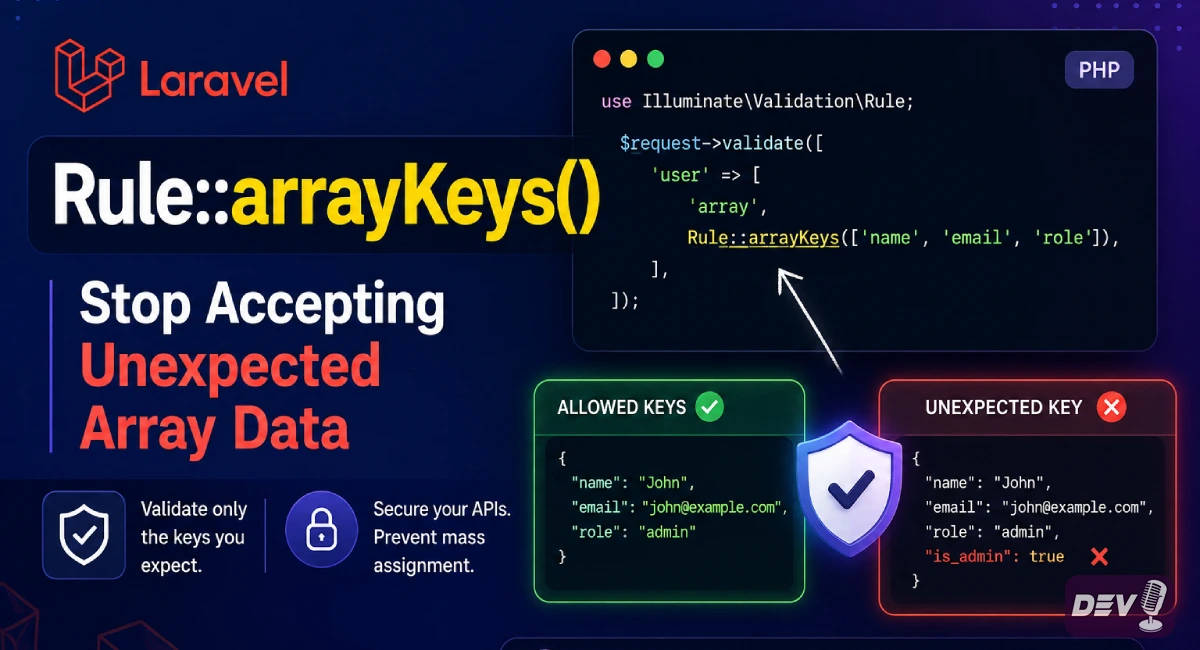
Rule::arrayKeys() was built specifically to close that gap. It gives you a dedicated failure message and a way to report exactly which keys were unexpected
How to Use Rule::arrayKeys()
Here's the basic example — restricting a filter array so it can only contain status, author, or tag:
use Illuminate\Validation\Rule;

$request->validate([
    'filter' => Rule::arrayKeys([
        'status',
        'author',
        'tag',
    ]),
]);
If someone sends this:
{
    "filter": {
        "status": "published",
        "author": "admin",
        "category": "news"
    }
}
Validation fails, because category isn't on the allowed list. The default error message is straightforward:
The filter field must only contain the following keys: status, author, tag.
An Important Detail: Allowed, Not Required
array_keys only controls what may appear — it doesn't force any of those keys to be present. An empty filter array, or one with just status, passes validation just fine.
If you also need certain keys to always be present, pair it with required_array_keys:
$request->validate([
    'filter' => [
        Rule::requiredArrayKeys(['status']),
        Rule::arrayKeys(['status', 'author', 'tag']),
    ],
]);
Now status must be present, and nothing outside status, author, or tag is allowed.
Combining It With the array Rule
You'll often want to confirm the field is actually an array and that its keys are clean. Laravel lets you stack both rules, and — this is the nice part — they report separately in $validator->failed() as Array and ArrayKeys, so you can tell which one actually failed:
$request->validate([
    'filter' => [
        'array',
        Rule::arrayKeys(['status', 'author', 'tag']),
    ],
]);
Nothing about your existing array rule usage changes — it keeps its own message and behavior. array_keys just adds a second, more precise layer on top.
Customizing the Error Message with Placeholders
This is where array_keys becomes genuinely useful for API responses. The rule ships with two placeholders you can use in a custom message:
:values— the full list of allowed keys:unexpected— the specific keys that actually caused the failure
The default message only uses :values, but :unexpected is arguably more useful in practice — it tells the client exactly what to fix instead of making them compare their payload against a list.
$messages = [
    'filter.array_keys' => 'Remove these unexpected keys from filter: :unexpected. Allowed keys are: :values.',
];

$request->validate([
    'filter' => Rule::arrayKeys(['status', 'author', 'tag']),
], $messages);
Now instead of a generic "must only contain" message, the client gets a precise, one-line pointer to the exact field that's wrong — turning a guessing game into a quick fix.
A Practical Example: Validating an API Filter Payload
Here's a more complete, real-world style example for a typical "search/filter" endpoint:
use Illuminate\Http\Request;
use Illuminate\Validation\Rule;

public function search(Request $request)
{
    $validated = $request->validate([
        'filter' => [
            'array',
            Rule::arrayKeys(['status', 'author', 'tag']),
        ],
        'filter.status' => ['sometimes', 'string', 'in:draft,published,archived'],
        'filter.author' => ['sometimes', 'string'],
        'filter.tag'    => ['sometimes', 'string'],
    ], [
        'filter.array_keys' => 'Unexpected filter key(s): :unexpected. Only :values are allowed.',
    ]);

    $posts = Post::query()
        ->when($validated['filter']['status'] ?? null, fn ($q, $status) => $q->where('status', $status))
        ->when($validated['filter']['author'] ?? null, fn ($q, $author) => $q->where('author', $author))
        ->when($validated['filter']['tag'] ?? null, fn ($q, $tag) => $q->whereJsonContains('tags', $tag))
        ->paginate();

    return response()->json($posts);
}
This gives you three layers of protection in one go:
arrayconfirmsfilteris actually an array.array_keysblocks any key outsidestatus,author, andtag.- The per-key rules validate the values of whichever allowed keys are actually present.
Why This Matters for API Security and Data Hygiene
It's a small rule, but it solves a real class of problems:
- Mass-assignment style leaks — blocking unexpected keys at the validation layer means stray fields never even reach your business logic.
- Cleaner error messages — clients get told exactly which key is wrong instead of a vague "invalid array" message.
- Self-documenting validation — anyone reading your
store()orsearch()method can immediately see the full, allowed shape of a nested array, without digging through a custom rule class. - Less boilerplate — no more writing a one-off
Ruleclass just to checkarray_diff_key($value, array_flip($allowed)).
Wrapping Up
Rule::arrayKeys() isn't a flashy feature — it's the kind of addition that quietly fixes a rough edge a lot of Laravel developers have worked around for years. If your app accepts nested array or object payloads (filters, settings, metadata blocks, form builders), it's worth adding this rule wherever you want to guarantee the shape of that data.
Quick recap:
Rule::arrayKeys([...])— restricts which keys an array may contain.- Keys are allowed, not required — pair with
Rule::requiredArrayKeys()if you need both. - Combine with the
arrayrule for a full check; they fail independently. - Use the
:unexpectedplaceholder for genuinely helpful error messages.
Available starting in Laravel 13.24, so make sure your project is updated before reaching for it.
Free resources for this topic
Code snippets and fixes for this topic
Get one practical tip every week
New tutorials, fixes and free cheat sheets from DEV Talk, straight to your inbox. No spam, unsubscribe in one click.
Free download: Laravel interview questions (PDF)
Have a question about this post?
Ask the community: other developers and the author can answer.
Get notified about new articles
One click, no email needed. Turn it off anytime with the bell at the top.
Get new articles on your iPhone
Add DEV Talk to your Home Screen, open it, then tap the bell.
Enjoying the content?
If this article helped you, you can support the author with a coffee. It keeps new posts coming.


Comments 0
No comments yet
Be the first to share your thoughts.